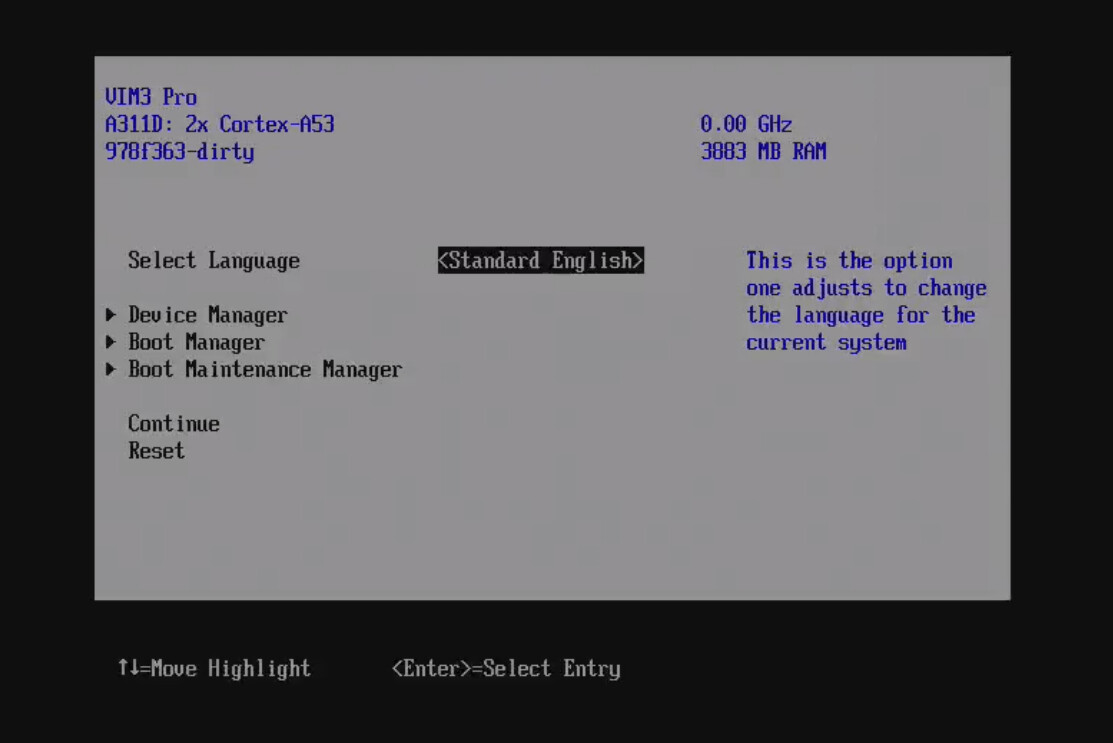
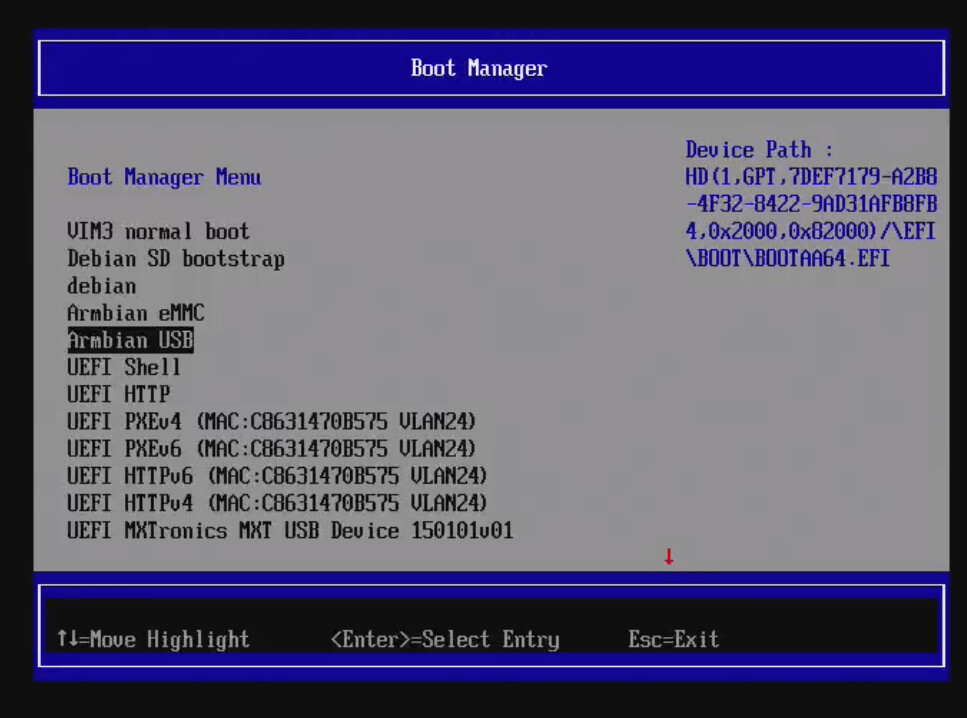
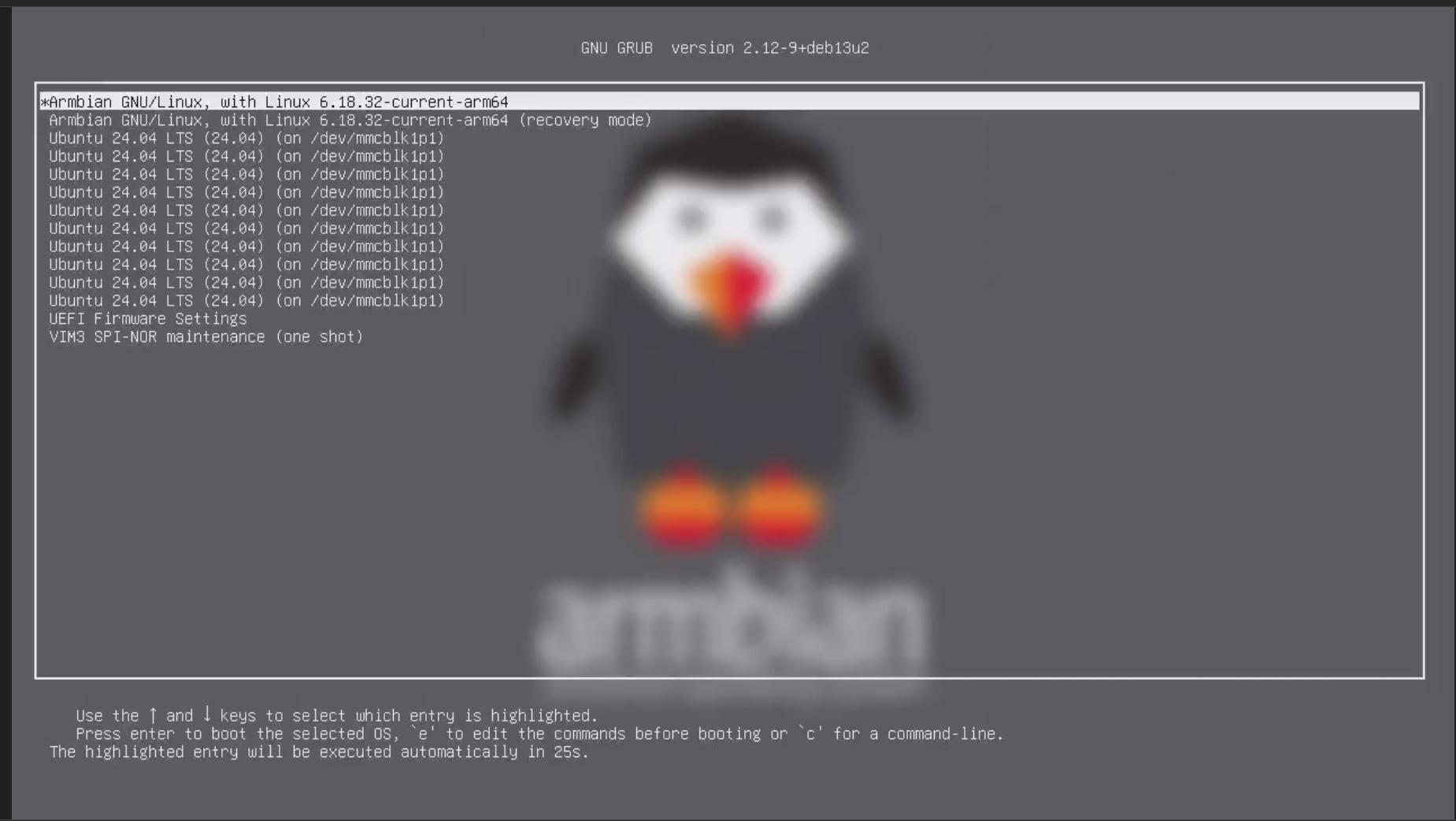
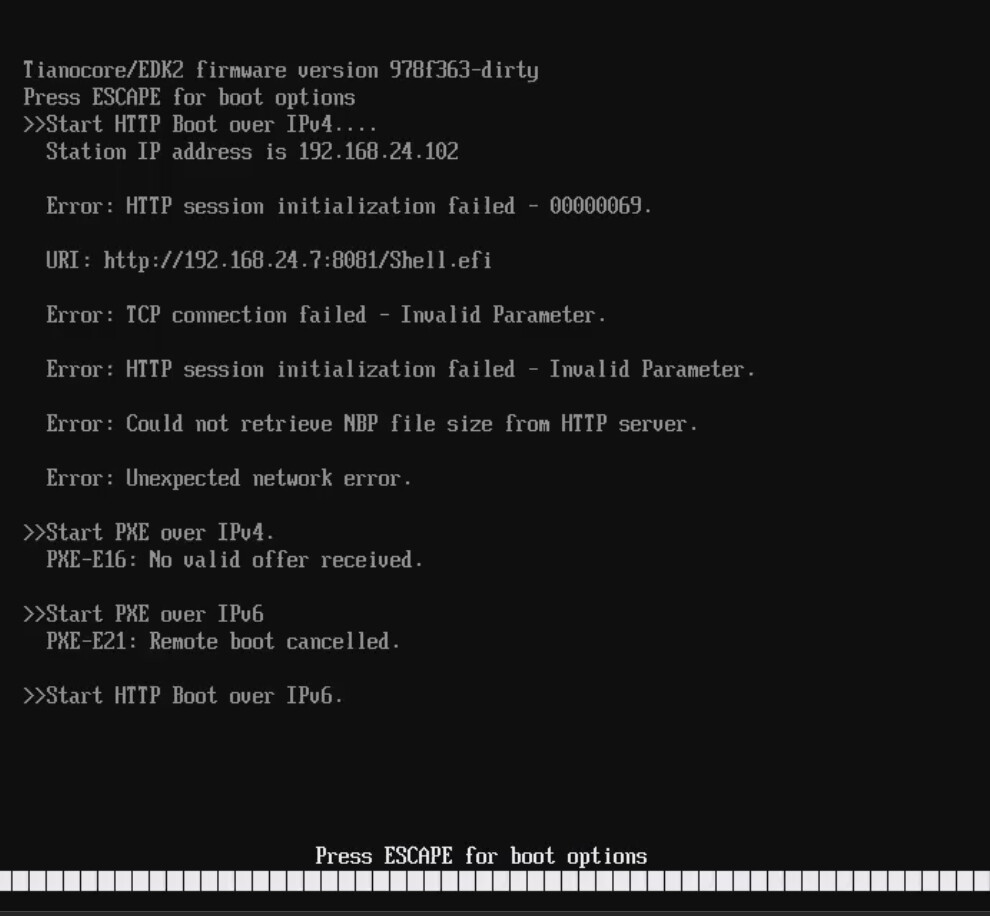
I don’t have a lot to say. Networking (e.g. the device can DHCP lease and PXE boot), display, serial, boot mostly work. The one place I’m struggling is boot off of SD card after emmc access causes a lock up. Maybe the Khadas team can help. I didn’t test NVME boot - you can switch between PCIE and USB3 in the bios menu… Acpi tables next, and then the obligatory its running windows screenshot (not because its a good idea, just because I can).
Hello @Gustavo
Thank you for sharing and for the great feedback!
Regarding the issue you mentioned where booting off the SD card causes a lock-up after eMMC access, could you please share what you want to do ?
Also, would you be open to sharing the code or patches you are using? That would help us analyze and test things on our end.
Thanks again, and looking forward to seeing that Windows screenshot!

Can I please have a copy? I would like to try to flash it to spi-nor on my vim3 pro. I have an opi5+ edk2/uefi flashed to spi-nor which then allows me to run ANY uefi distro. THIS IS THE WAY!
As I’m sure you’re aware. in the arm world MS seems to only like qualcomm. Not to mention a total lack to drivers.
Hi,
Yes I can provide copies to interested parties directly. I’m not releasing source yet or images yet as I simply don’t have a good enough hardware matrix to test with and I don’t want to deal with support requests and negative project feedback when people invariably try it on hardware I haven’t tested on (e.g. VIM4, non-pro VIM3, etc).
A couple of things to note:
- DT works great in linux, which is expected.
- ACPI works fine as well with DSDT for the following, but some of the kernel modules need to be patched.
- Onboard ethernet is fine, no patch
- USB is fine (including USB3) using linux XHCI, no patch.
- EMMC/SD require a patch
- ACPI thermal requires a patch
- SDIO requires a patch. Wifi works.
- I’m still working through the rest… I will post all patches in accordance with GPL requirements. It’d be great if we could get them in tree so both DTB and ACPI mode (DSDT) work out of the box. I’m testing my patches to make sure they work in both DTB and ACPI DSDT modes.
One thing to note: SD/MMC are 4-bit. This is a necessary evil as the firmware needs to read/write to the SPI NOR and that hardware shares SPI and SD/eMMC. I have not been able to figure out a work around that wouldn’t end up without the possibility of a collision between the OS and firmware.
That’s great. Just sent you an email request for a copy. Please let me know asap if you didn’t get it.
thanks steve
Link sent via email.
Thanks Gus,
This may take me a little time to better understand. I doesn’t appear to be a straight forward edk2/uefi implementation. There’s a few things more I’d like to add but don’t want to misspeak. Kernel patching is a concern simply because new kernels are being released weekly with fedora 44 moving rapidly toward kernel 7.2 which has greatly improved my vim3 pro performance. Not to mention running from nvme has kept this sbc from my junk drawer.
Just use device tree mode. No kernel changes are required in DT mode.
Hey gus,
Already got it in and was able to boot fedora rawhide live iso from usb drive. As of right now it’s not recognizing my nvme m.2 ssd. I’m present downloading copy of fedora 44 workstation raw image which then write to my nvme ssd. It seem the edk2/uefi recognizes it on usb3 using an nvme adapter. Will get back to you shortly. Any news on m.2 slot?
Steve
Can you please elaborate on this?
- The NVME SSD does not show as a boot option in EDK2?
- After booting the live ISO the NVME SSD does not show up?
- Both?
Ok, finally getting somewhere. To answer questions
1 does not show up
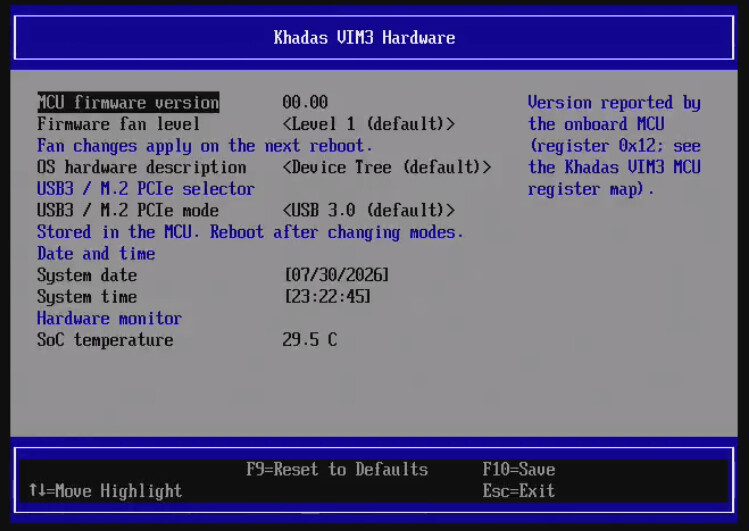
The solution I believe is in your second post which how pic of khadas bim3 hardwar>USB3 / m.2 PCIe mode. By default is set to “USB 3.0”. I believe is should be set to “M.2 PCIe mode”. I tried to change but when I hit f10 and Y to change is fails to save. Up pops a box saying hit D to discard or G to send error report. This is my error report. LOL I also tried to change date/time but that too is a nogo.
Ok, now for the good news. I was able to write a fedora 44 workstation raw file to a nvme stick on another using an nvme adapter. I then connected that adapter/nvme stick to the usb3 port on my VIM3 Pro and it booted. I was also able run sudo dnf upgrade --refresh cmd and am now on Linux fedora 7.1.6-201.fc44.aarch64 #1 SMP PREEMPT_DYNAMIC Tue Aug 4 00:25:51 UTC 2026 aarch64 GNU/Linux. I’m writing this post from my vim3 pro fedora 44.
MY next questions is, can boot0 and boot1 be copied to spi-nor or should there be an addtional file in the firmware folder?
As soon as I’m able to save changes settings in edk2/uefi I will test m.2 slot asap. I’m not sure but believe that the default should be “M.2 PCIe mode” and then if stick is present it’s used and if not it just slides on by to USB3?? I need to test.
Btw, I really appreciate all your hard work. This is a game change for the vim3 / vim3 pro. If you have any more questions don’t hesitate.
hdmi sound working now.
I added nvme storage. I don’t have nvme attached to mine and I don’t think its possible given the case its in so you know buyer beware, your own risk, it might catch on fire or over-volt and smoke your ssd.
That’s too funny. If it starts smoking I"m running. LOL Btw, I had to use a dremel on my case. Then used a Kioxia CL4-3D256-HP 256GB M.2 NVMe SSD which has a 2230 footprint. It completely changes the performance on this little board.
Any thoughts on writing this to spi-nor?
spi-nor is a work in progress. once i have capsule upgrades with it I’ll post an image.
Sorry to report that m-2 slot is a nogo.
- I wasn’t able to change to the “M.2 PCIe” option in Khadas VIM3 Hardware dialog.
- If I boot from other OS, M.2 slot is not recognized with formatted nvme stick in slot. (if bios doesn’t see it it doesn’t exist).
- Was able to change date/time is same dialog f10/save is working.
That is indeed odd. With the latest patch I was able to swap it to M.2 PCIe mode and validate the meson-pci loaded, and showed up on the bus. I was expecting the device to at least show up in linux (and meson-pci to load with lspci showing the pci root). Are you 100% certain you’re running the latest firmware? When it first boots it’ll show a version in the splash screen. It should say ee9ea5f
let me double to see if i loaded the right one.