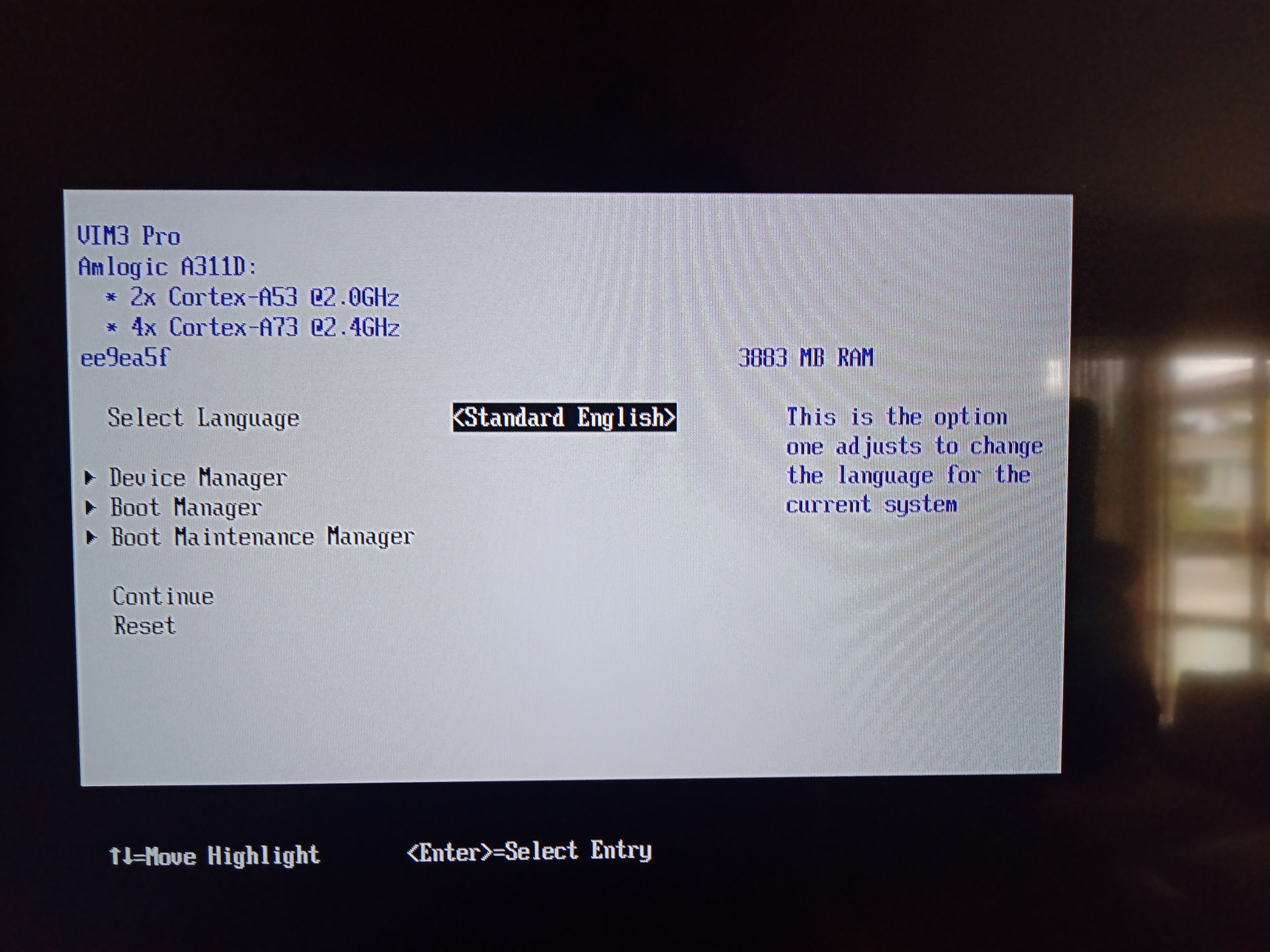
ee9ea5f, pretty sure that’s the latest.
Well darn? I’m not really sure.
What MCU version does it say you have? Device Manager → Khadas VIM3 Hardware → MCU firmware version
The only thing I can think of is if some how the registers changed between firmware versions, but that seems unlikely. On mine I just swap the config:
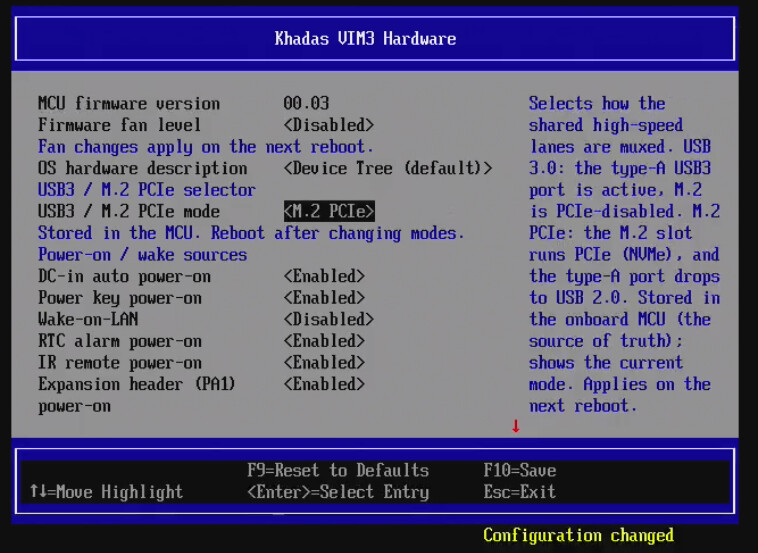
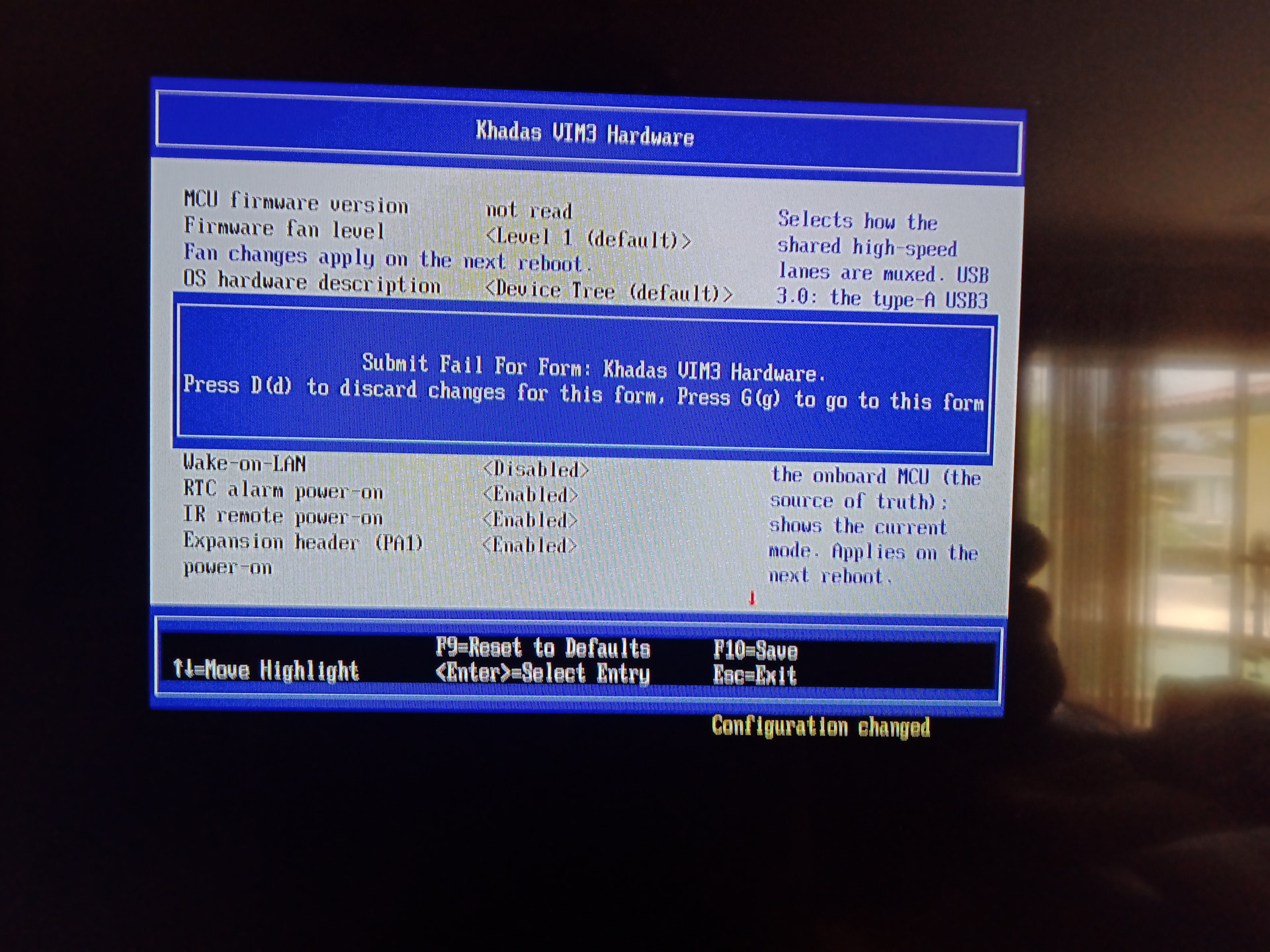
Then hit F10, go to the main menu, hit continue and it says:
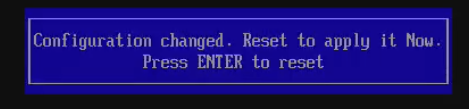
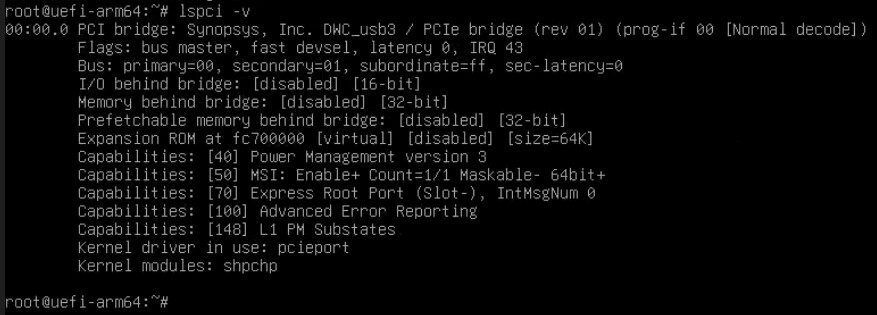
Hit enter and it works… at least as far as I can tell - lspci shows the pci root.
This is the output:
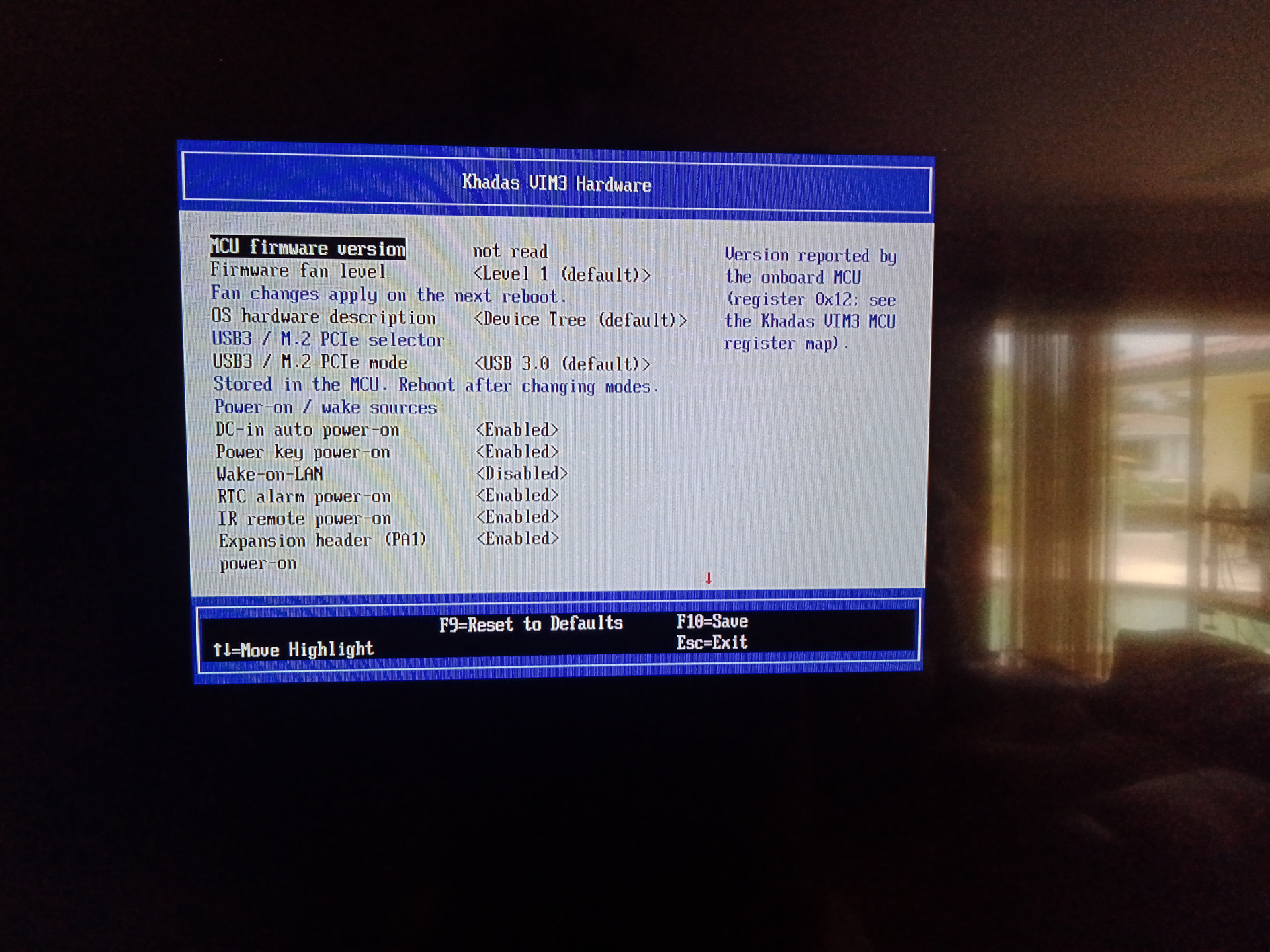
Sorry, to the right.
The 0x12 is just an explanation of the register its trying to read off of. For some reason the firmware was unable to read that register off of your board. I’m sort of at a loss for what’s happening here. Might be able to poke mcu in uefi shell.
I don’t think its a difference between pro / non-pro (I also have a pro).
The MCU register doc makes no distinction:
The short of it is this suggests that for some reason edk2 is having trouble talking to your MCU. I’m not entirely sure why…
Can you query the MCU in linux?
i2cget -f -y 4 0x18 0x12 <— MCU Version
i2cget -f -y 4 0x18 0x14 ← Hardware Type
i2cget -f -y 4 0x18 0x33 ← USB/PCI
Updated request:
dmidecode -s bios-version, and board markings (VIM3 vs VIM3L, hardware rev Vxx)
i2cdetect -y 0 — does 0x18 show up (as 18 or UU)?
i2cget -f -y 0 0x18 0x12, then 0x13, then 0x15 — MCU version bytes and the DEVICE_NO identity byte (must be 0x03)
dmesg | grep -i khadas-mcu — did Linux’s MCU driver bind?
I’m getting this for all the cmds. researching it now,
i2cget -f -y 4 0x18 0x12 Error: Could not open file /dev/i2c-4' or /dev/i2c/4’: No such file or directory
See the updated request… Here’s the output of mine for example:
root@uefi-arm64:/home/gus# i2cdetect -y 0
0 1 2 3 4 5 6 7 8 9 a b c d e f
00: – – – – – – 0e –
10: – – – – – – – – 18 – – – – – – –
20: 20 – 22 – – – – – – – – – – – – –
30: – – – – – – – – – – – – – – – –
40: – – – – – – – – – – – – – – – –
50: – UU – – – – – – – – – – – – – –
60: – – – – – – – – – – – – – – – –
70: – – – – – – – –
root@uefi-arm64:/home/gus# i2cget -f -y 0 0x18
0x00
root@uefi-arm64:/home/gus# i2cget -f -y 0 0x18 0x12
0x00
root@uefi-arm64:/home/gus# i2cget -f -y 0 0x18 0x13
0x03
root@uefi-arm64:/home/gus# i2cget -f -y 0 0x18 0x15
0x03
root@uefi-arm64:/home/gus#
sudo i2cdetect -y 0
0 1 2 3 4 5 6 7 8 9 a b c d e f
00: – – – – – – 0e –
10: – – – – – – – – UU – – – – – – –
20: UU – 22 – – – – – – – – – – – – –
30: – – – – – – – – – – – – – – – –
40: – – – – – – – – – – – – – – – –
50: – UU – – – – – – – – – – – – – –
60: – – – – – – – – – – – – – – – –
70: – – – – – – – –
steve@ubuntu26:~$ ^C
steve@ubuntu26:~$ i2cget -f -y 0 0x18
Error: Could not open file `/dev/i2c-0’: Permission denied
Run as root?
steve@ubuntu26:~$ sudo i2cget -f -y 0 0x18
0x01
steve@ubuntu26:~$ sudo i2cget -f -y 0 0x18 0x12
0x00
steve@ubuntu26:~$ sudo i2cget -f -y 0 0x18 0x13
0x03
steve@ubuntu26:~$ sudo i2cget -f -y 0 0x18 0x15
0x03
Ok so hardware and mcu revision. The only thing I can think of is i2c timing differences. Give me a moment and I’ll have a build for you to test.
I sent you a link for f1f4fc7
I didn’t get any link?
I got it. gmail is pia! gimma a few
WORKING! It completely changed this sbc. It is considerably faster. This morning I installed ubuntu 26.05 and upgraded to kernal: ubuntu26 7.2.0-070200rc5-generic.
Thanks so much.
If there’s anything you want to test let me know.
Can you confirm:
- NVME is a boot option in the bios?
- NVME is detected in linux?
- SPI-NOR install?
- SPI-NOR Capsule BIOS upgrades?
Also could I please get:
- sudo lspci
- sudo lspci -vv -s 01:00.0 | grep LnkSta
- sudo nvme list
- sudo dmesg | grep -iE “internal error|efi_rts|Unable to handle”
OK, to be clear I’m up and booted off m.2 slot. Yeah!
1 Yes, the nvme drive is showing in dialog Device Manager and M.2 PCIe option was already the default in the Vim3 hardware manager. Also, all sub-dialogs were avaialable under Device Manager so I was able to change boot order.
2 Yes
3 I’m ready to test spi-nor as soon as you are.
4 When you’re ready to test so am I. I would love to have a look at the source, if and when you’re ready. Just looking to gain experience.
If I might make a suggestion, in the opi5+ edk2/uefi bios there’s an option to not allow network booting. When turned off It certainly cleans up the boot order dialog. Just a thought.
Hey Gus
Here is the rest. I also ran sudo dmesg --level=err,warn -T and attached log. Please take a look at the error (dw-pcie fc000000.pcie: error -ENXIO: IRQ index 1 not found) found at the time mark 18:17:59 2026. I ran a search on this and oddly enough got a hit here Problem with meson-pcie patch Some of the other errors I believe relate to the DT being used?
Keep in mind that this ubuntu 26.04 kernel 7.2 rc6 so that hit above is some really old shit.
steve@ubuntu26:~$ sudo lspci[sudo: authenticate] Password:00:00.0 PCI bridge: Synopsys, Inc. DWC_usb3 / PCIe bridge (rev 01)01:00.0 Non-Volatile memory controller: Solid State Storage Technology Corporation CL4-8D512 NVMe SSD M.2 (DRAM-less) (rev 03)
steve@ubuntu26:~$ sudo lspci -vv -s 01:00.0 | grep LnkStaLnkSta: Speed 5GT/s (downgraded), Width x1 (downgraded)LnkSta2: Current De-emphasis Level: -6dB, EqualizationComplete- EqualizationPhase1-
steve@ubuntu26:~$ sudo nvme listNode Generic SN Model Namespace Usage Format FW Rev
/dev/nvme0n1 /dev/ng0n1 UPJQF01ZTH57W2 SSSTC CL4-3D256-HP 0x1 256.06 GB / 256.06 GB 512 B + 0 B L432
Here it is
Vim3_dmesg.txt (15.9 KB)
Linux ubuntu26 7.2.0-070200rc5-generic #202607262232 SMP PREEMPT_DYNAMIC Sun Jul 26 23:30:48 UTC 2026 aarch64 GNU/Linux
Display is Sony Bravia xbr-65x850f running 3840x2160@30hz scaled@200% NO screen flicker.
I sent you a link with the SPI-NOR enabled version FYI.
A couple of notes:
- Kernel 7.0+ has a bug with ARMv8 (e.g. no hardware PAN), EFI Services, and preemption. I’ve broached this topic with the proper folks and I believe it’ll be resolved upstream.
- The SOC is not stable with UAS. Probably does not impact you since you use NVME.
- SPI-NOR is likely to be slightly slower on boot-up (I believe it’ll be slower than the emmc chip)