I’m having a persistent issue with my Mind 2s + Mind Graphics 2 (RTX 5060 Ti) setup.
No matter what I try, the PCIe link stays stuck at Gen1.1 and doesn’t upgrade even under load. Mouse cursor movement is extremely laggy (takes seconds to respond), and any GPU load causes the screen to freeze and the system to shut down.
Current status summary:
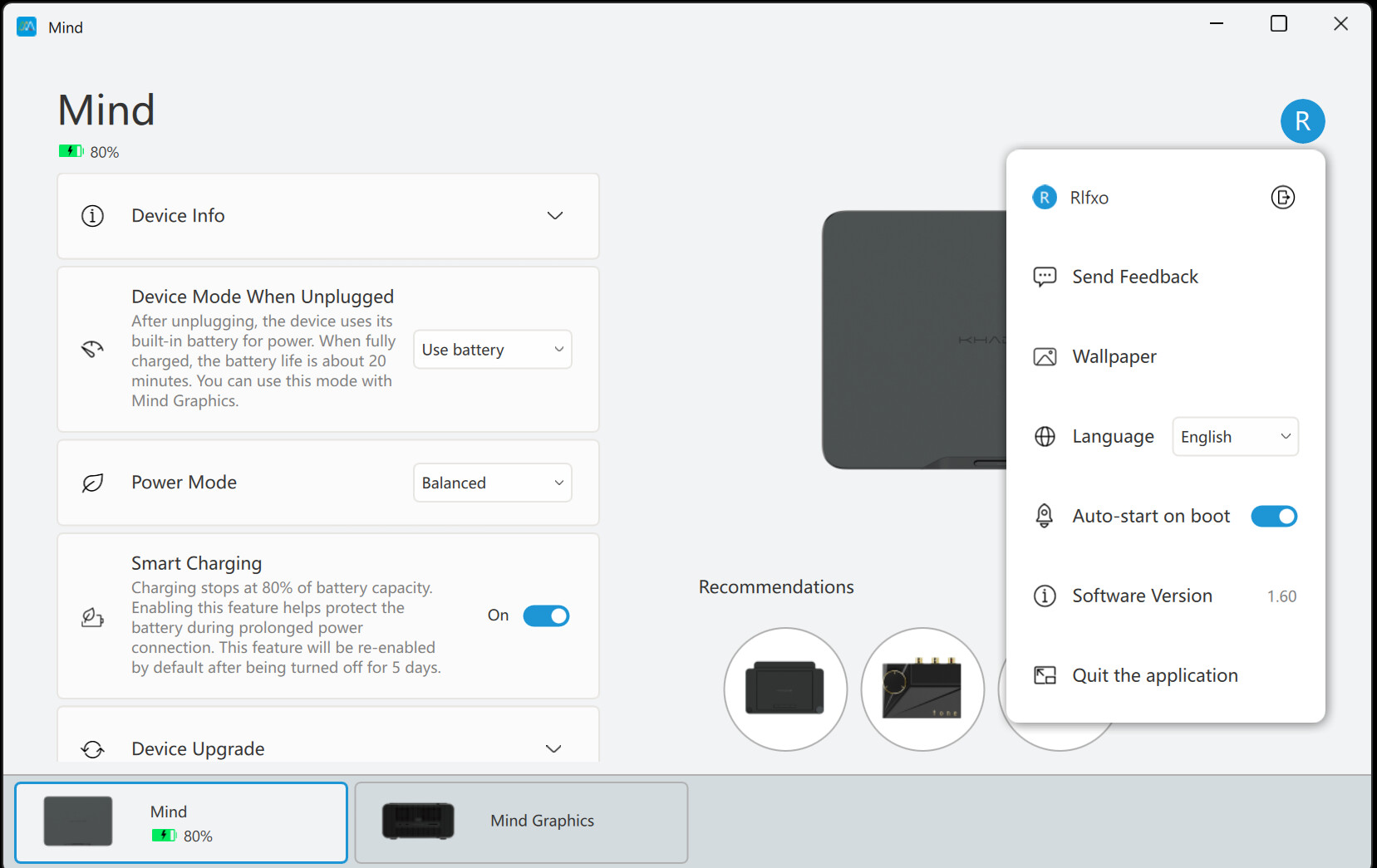
When connecting Mind and Graphics dock, Mind App shows “Abnormal graphics card driver” and “Mind Graphics Driver Patch Missing” popup → “Install Now” → reboot loop repeats endlessly (even after 3~4 reboots).
Downloaded and installed graphics driver (576.52) + khadas-nv-43-fix.zip from the site → code 43 error is now fixed (Device Manager shows “This device is working properly”). dl.khadas.com - Index of /products/mind-graphics/drivers/
When connecting monitor to Mind Graphics HDMI port: extreme mouse lag (cursor moves after several seconds delay), and any GPU load causes screen freeze → hard system shutdown
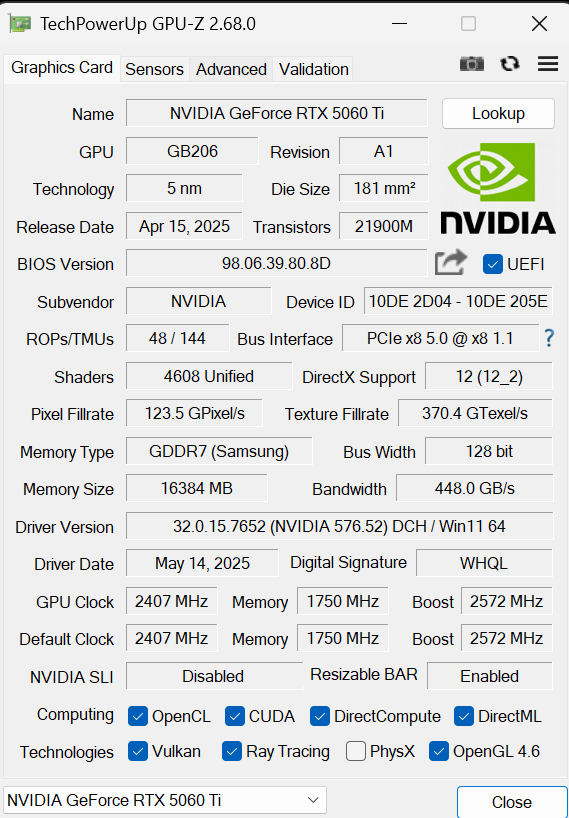
GPU-Z always shows PCIe x8 5.0 @ x8 1.1, no upgrade even under Render Test load (fluctuation to 2.0 happened once briefly but now stuck at 1.1).
What I have tried so far:
• Multiple clean installs of 576.52 / 591.86 via DDU in safe mode
• khadas-nv-43-fix script run (reports “fixed” and “Driver is running”)
• Dock undock/reseat multiple times (LED goes solid)
• ASPM Off in power settings (made it worse → reverted)
• Mind App full firmware/BIOS/windows update attempts
System specs:
• Mind 2s (Intel Core Ultra 7 255H)
• Mind Graphics 2 with RTX 5060 Ti
• Windows 11 64-bit (latest updates)
Any help from the team would be greatly appreciated.
This is my personal PC I’ve invested a lot in high-end graphics, but the lag/crashes are making it unusable and really frustrating.
I can confirm with same hardware 2S/graphics 2 (graphics 2 was delivered yesterday), same drivers, same kind of problems but no mouse lag. Had also to apply the patch manually; the mind app didn’t manage the patch.
On each startup the windows startup sound sounds distorted, but seems ok after login.
Did get a BSOD after plugging the HDMI from the graphics 2 to my monitor, “VIDEO SCHEDULER INTERNAL ERROR“ if I remember correctly. Disabling hardware accelerated GPU scheduling didn’t help.
When doing the render test gpuz reports PCIe 2.0. When using the intel Arc for display output everything seems running normal. Looks like a driver/firmware issue to me.
Today I have also the mouse lag when using hdmi output from the Graphics 2. Makes the system unworkable.
Did some memory bandwith testing with the trial version of aida64 (demo version) running the GPGPU benchmark. Only the first time the test could finish without a crash.
First time it could finish the test with the 5060Ti and it shows the 5060 memory bandwith for reading is unbelievable low (1730Mb/s) even compared to the Intel Arc ( 30233 MB/s ). Unfortunately testing memory writes is not supported in the trial version of aida64.
Got multiple crashes in different drivers when repeating the same test with the RTX 5060Ti: The failures are VIDEO_SCHEDULER_INTERNAL_ERROR in watchdog.sys and VIDEO_TDR_FAILURE in nvlddmkm.sys / dxgkml.sys.
Using the latest docking stations, including Mind Graphics 2 and Mind xPlay, requires upgrading the BIOS to ensure hardware compatibility.
As we have recently discovered that updating the BIOS may cause a probabilistic loss of the PIN code, to ensure user data security, we have temporarily restricted the upgrade channel to users who have purchased new products only. You can obtain the relevant information through the customer service of your purchase channel.
We will gradually open the upgrade to all users after assessing the risks based on the progress of issue resolution.