I use the Mind Graphics with the Mind 2s and one thing bothers me greatly and that is the strange fan control or the lack of a proper fan control. I realize that the fans have to run accordingly when gaming and it can get correspondingly loud BUT why do the fans have to run constantly at 2000 rpm in pure desktop mode when the GPU is only 35°C warm?
Even in idle mode, the fans run non-stop.
Also interesting. If you reboot the Mind Graphics after it has been completely switched off, the fans in Windows are switched off for a while (see screenshot):
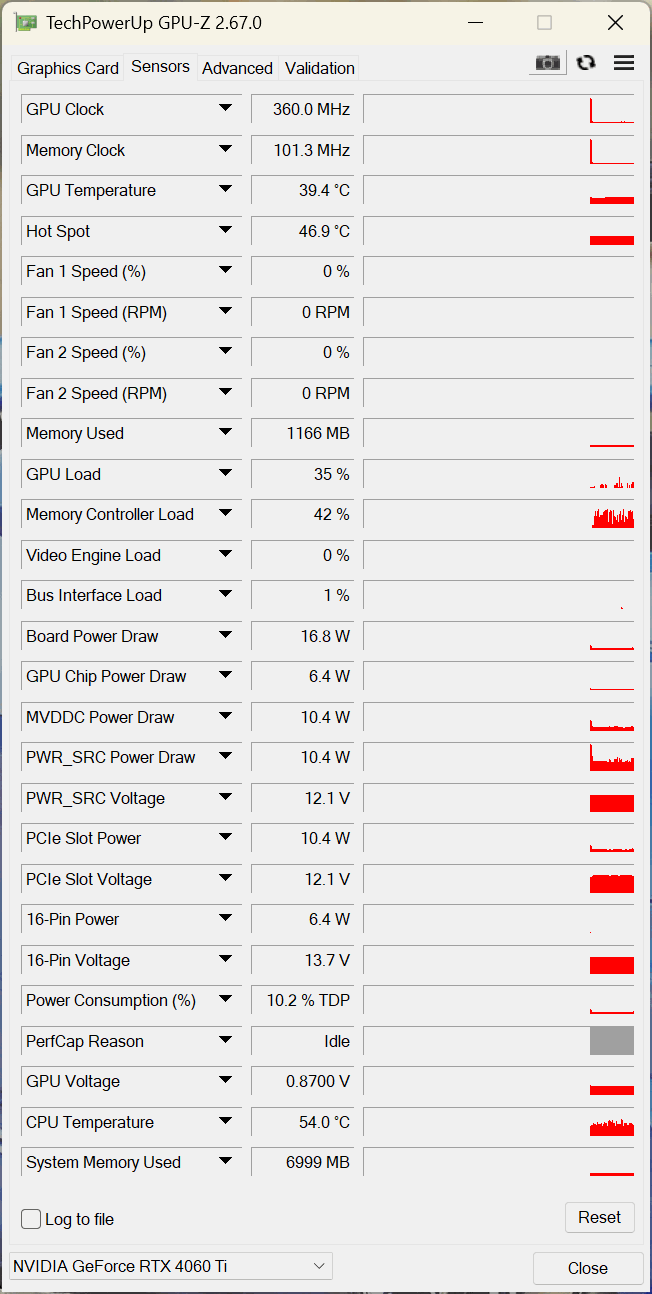
Then from around 40°C GPU temperature both fans go on and run constantly at 2000 rpm.
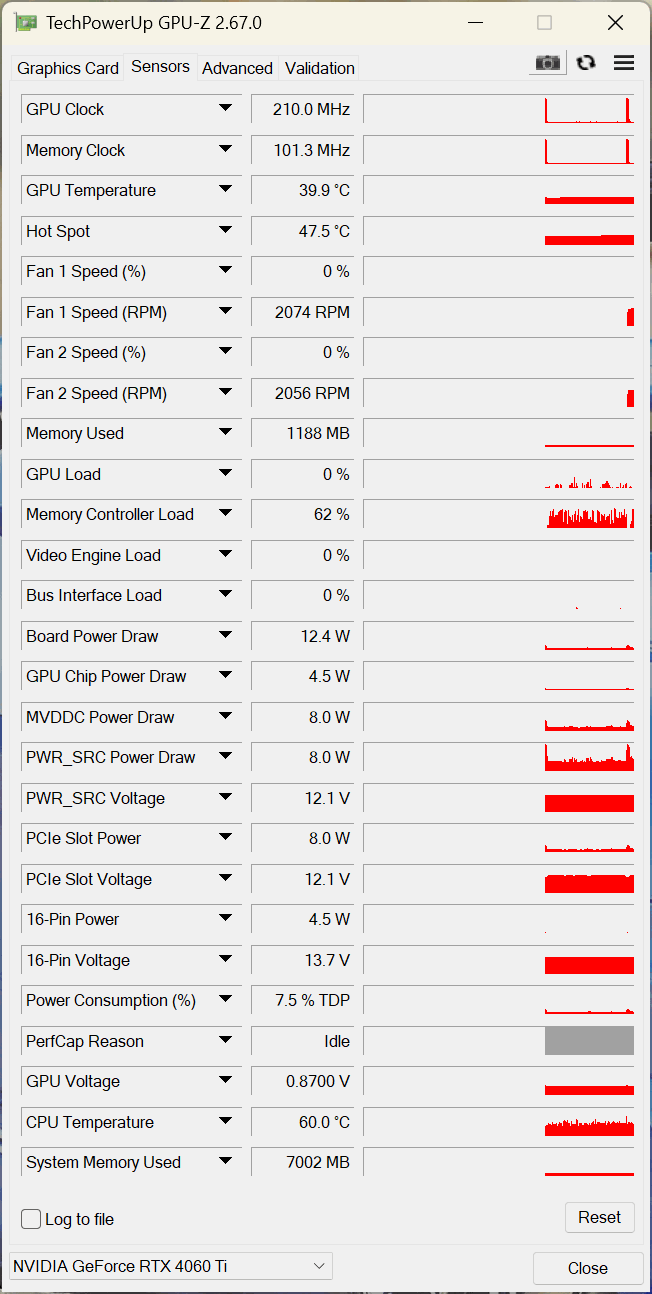
After a short time, the temperature drops back down to 35°C and usually stays there in pure desktop mode, but the fans continue to run non-stop.
Here is a screenshot in idle mode:
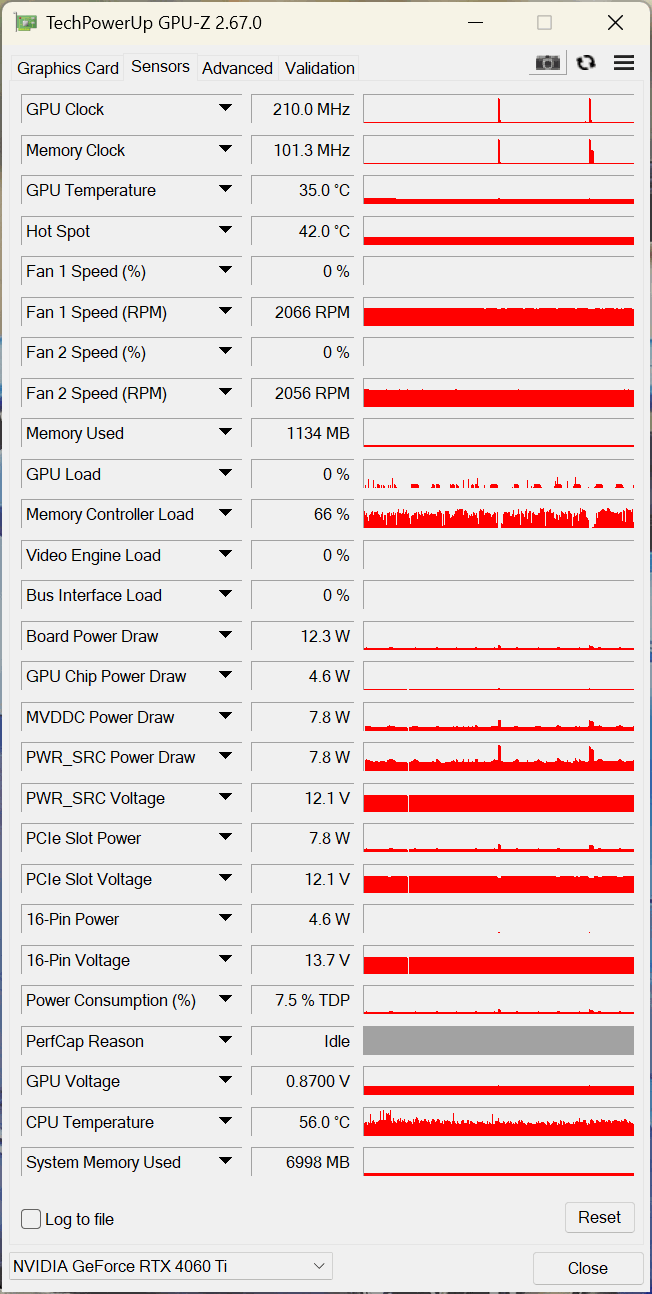
This just doesn’t make sense. Either they should go completely off at that temp. or start at 40-45°C at 800-1000 rpm and if the GPU is really under load, the fan speed can rise to up to 2000 rpm.
The fan control at this state is really poor and makes the Mind Graphics an unnecessary loud box for no reason. Can we expect a bios update on this issue or at least a tool that allows to configure the fan control? Something like this would be useful in the Mind app, but unfortunately it is missing.
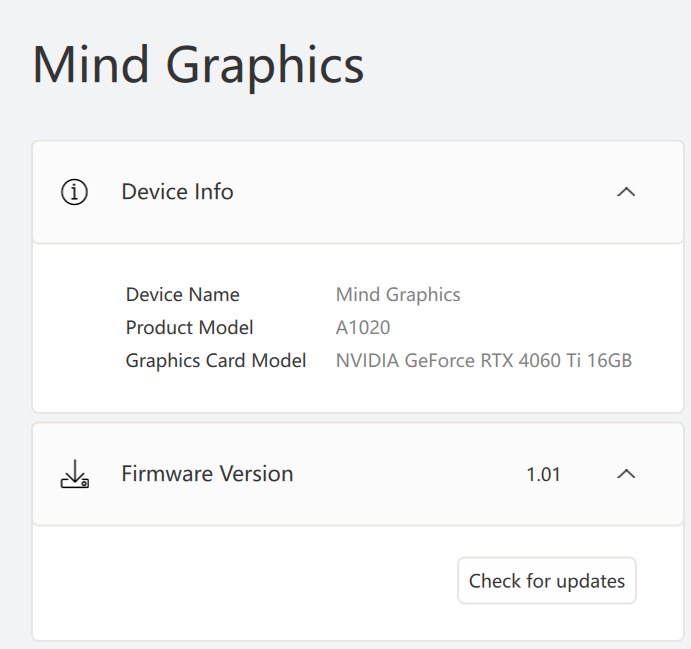
Here a screenshot of Mind Graphics product model and firmware: