Which system do you use? Android, Ubuntu, OOWOW or others?
Lakka
Which version of system do you use? Please provide the version of the system here:
5.0
Please describe your issue below:
I want to play sound through Bluetooth headphones. If it’s important, I bought these: Link to the bluetooth headphones
But I can’t. I tried to connect to the headphones in the Bluetooth devices menu – it worked (both with and without the USB dongle). But the sound stubbornly comes through HDMI. The headphones say “Connected”, meaning everything should be fine.
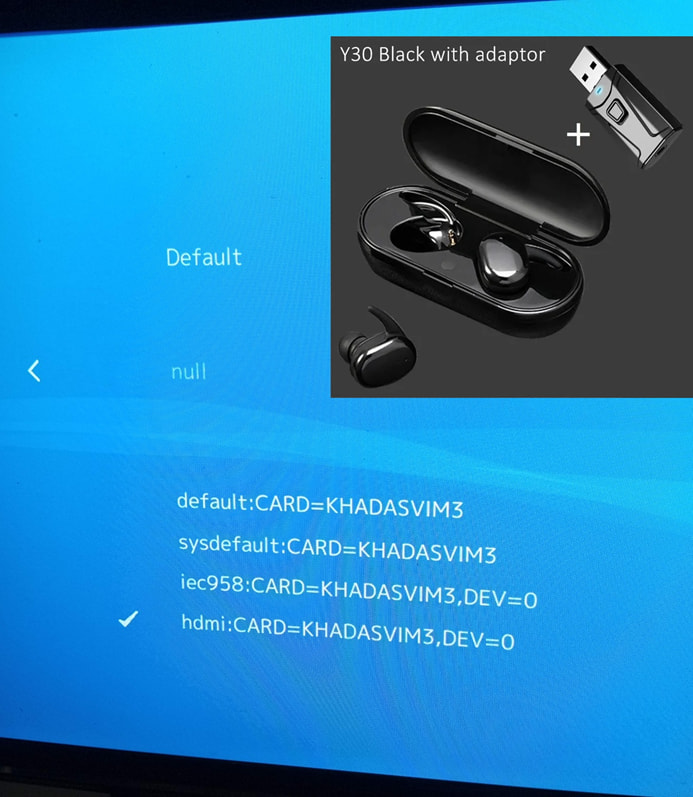
I went to the “Sound output menu” – of course, there are no headphones there – there are null, HDMI, and others (see photo). Please tell me how to redirect sound to the headphones. I attached a photo of the available devices and headphones:
Post a console log of your issue below:
Hi. Alternative: I don’t know if this will help you, but when I have a problem connecting headphones to my VIM3, instead of pairing with VIM, I pair the headphones with the Bluetooth on the TV. (short for pairing headphones with the TV)
Small correction:
I have tested without USB-dongle, because I have wrong undertood - how USB-dongle works.
This means - all the tests were conducted directly - I added the headphones in the menu of the Lakka and no one device appears. USB-dongle didn’t affect the audio transmition.
Thanks, it can help.
My headphones can be connected directly to every device which has a 3,5 mm jack even if there is no software support for bluetooth devices (like on my TV).
A 3,5 mm cable is inserted in the USB-dongle with one end. The opposite end is inserted in the TV. The USB-dongle is inserted in any USB-slot (for example in same TV). The USB-dongle receives the audio signal from the 3,5 mm port of the TV and converted it in a bluetooth signal, which can be simple transmitted into my headphones.
I think I will use this solution.